Daily Git, complete
Stage files and hunks, commit, inspect history, branch, stash, sync, rebase, and resolve conflicts.
The familiar flow of VS Code Source Control, rebuilt for keyboards, mouse clicks, full screens, and tall tmux side panes.
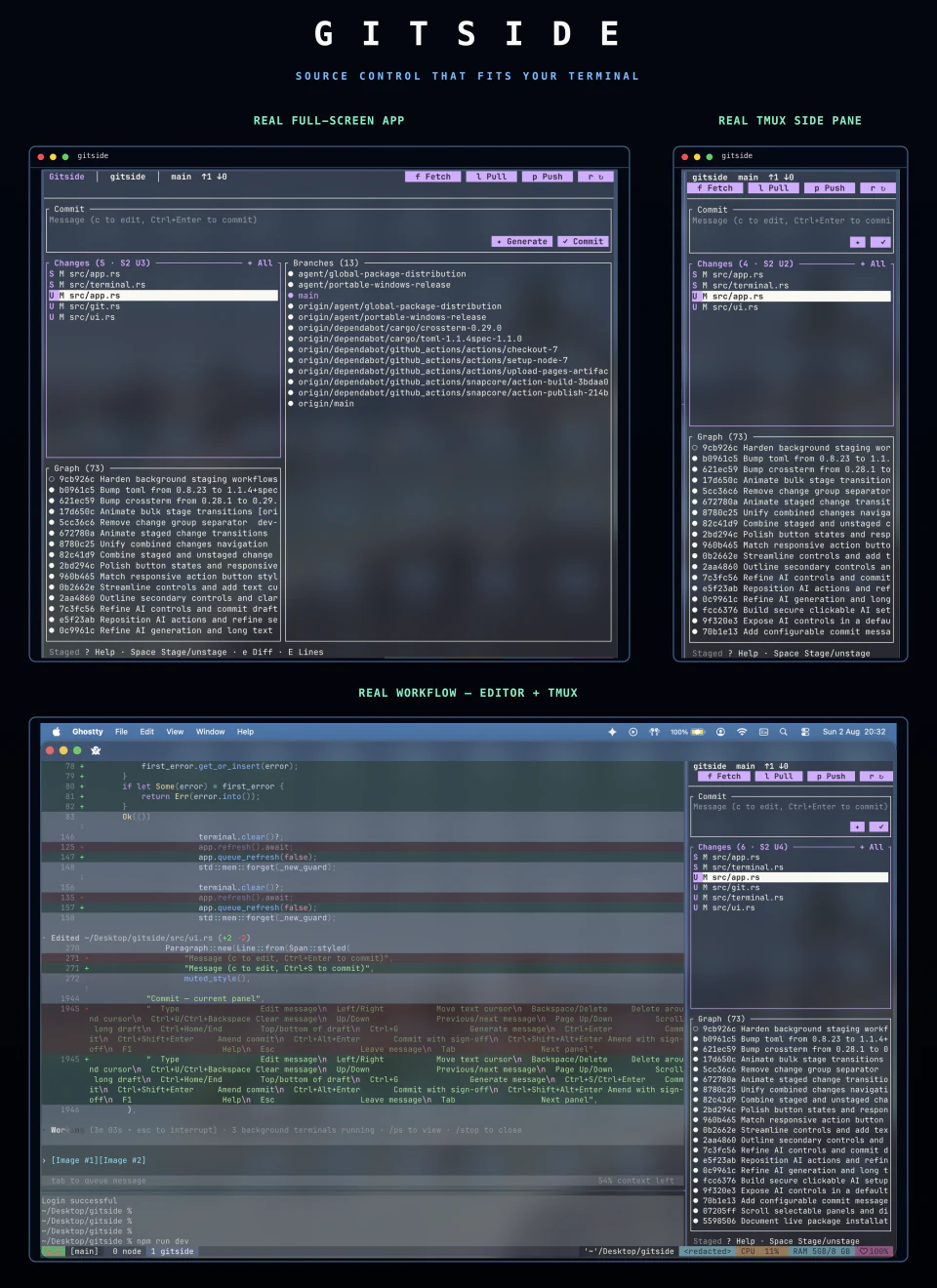
Built around your workflow
Gitside keeps the default view quiet. Advanced operations appear contextually when they become relevant, then disappear when the work is done.
Stage files and hunks, commit, inspect history, branch, stash, sync, rebase, and resolve conflicts.
Use the same interface in a wide terminal or a narrow, tall pane. Panels reflow instead of disappearing.
Every mouse target has a keyboard path. Ghostty and SGR terminals get real clickable controls.
Publish repositories and work with pull requests and issues through your existing authenticated GitHub CLI.
Fetch, pull, push, refresh, and GitHub requests run in the background while input stays responsive.
Backgrounds inherit your terminal profile, preserving light themes, dark themes, and transparency.
Measured on the same checkout
Five launches of each tool against this 87-commit repository, using the same 118×42 tmux terminal on macOS arm64. Time is to the first usable screen; memory is process RSS.
| Tool | First UI | Memory | Binary | Stability |
|---|---|---|---|---|
| gitside 0.1.2 | 0.75 s | 10 MiB | 5.2 MB | 5/5 clean exits |
| gitui 0.28.1-nightly | 0.16 s | 15 MiB | 10.0 MB | 5/5 clean exits |
| lazygit 0.63.1 | 0.27 s | 30 MiB | 18.6 MB | 5/5 clean exits |
| tig 2.6.1 | 0.15 s | 3.5 MiB | 0.7 MB | 5/5 clean exits |
This is an interactive launch comparison, not a full-history stress test. Gitside loads a bounded history page initially and fetches more commits as you scroll.
Optional AI, your way
Use private offline rules, an existing Codex, Claude Code, or OpenCode command, or a direct API. Gitside turns the current Git changes into an editable, Git-focused draft and never stages, commits, pushes, or switches branches for you.
Configure AI commit drafts →Get started
Native packages for macOS, Linux, and Windows. Git 2.30+ is required; GitHub CLI is optional.
See every package manager →$ brew install dev-bhaskar8/tap/gitside$ cargo install gitside --locked> choco install gitsideOpen source · MIT
0xC87efC9c71C422779F7dbeF14B2Fc4eef94b84fF